Most job boards want you to think in keywords. You type "backend engineer", pick a few filters, and get back a list sorted by date, where "backend engineer" appeared somewhere in the text. Then you read each posting to find out whether it actually fits your experience level, your stack, and the kind of work you want to do.
Role Finder takes a different approach. You describe what you are looking for in plain language, and it ranks real, open postings by how well they match.
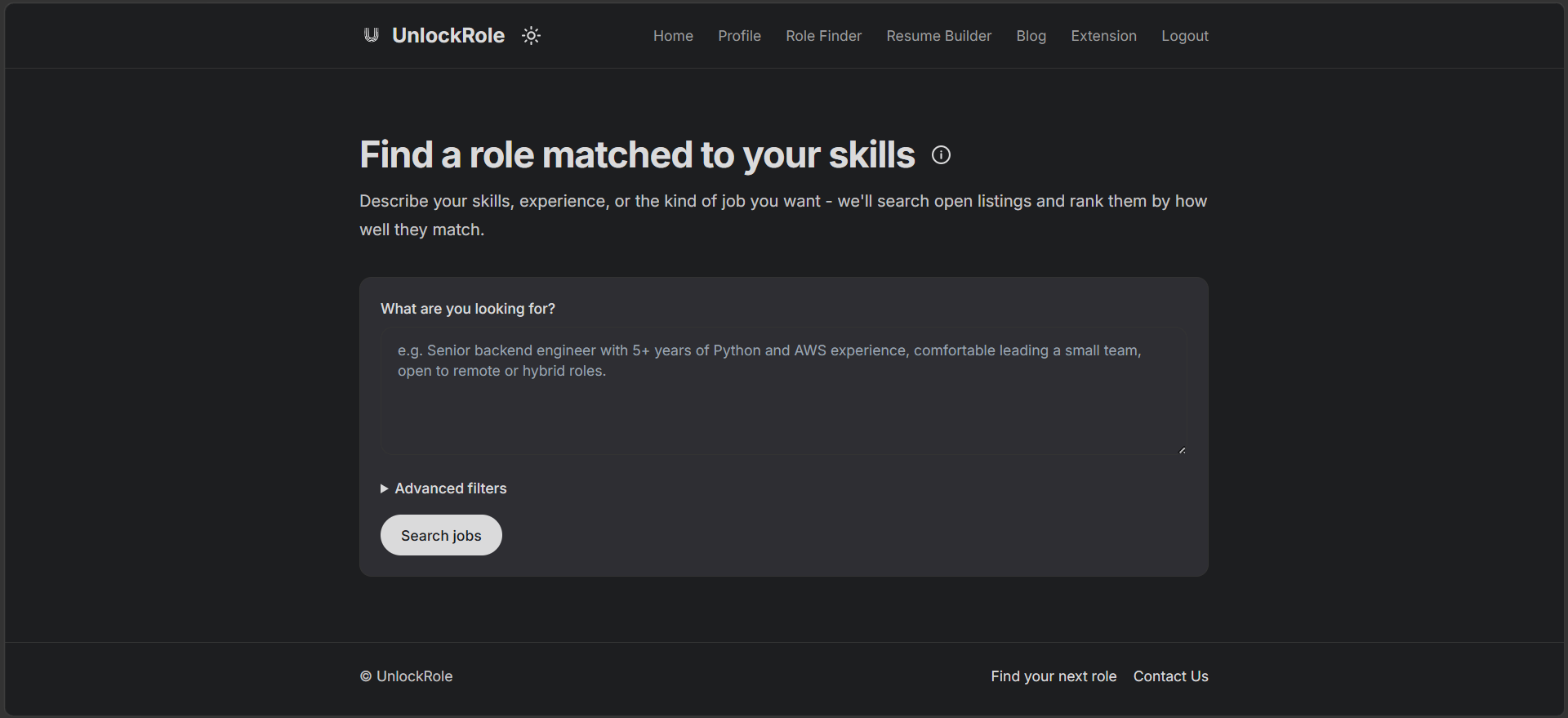
Describe the job, not the keyword
The search box takes a sentence or two: your target role, the skills you want to use, your years of experience, and any preferences. Something like "AI Engineer role with 1 year of experience, related to agents" or "Senior backend engineer with 5+ years of Python and AWS, open to remote work."
The more detail you give, the better the ranking. Role Finder reads that description, works out what you actually mean by it, and uses it to score each posting. "Related to agents" surfaces roles that are genuinely about agent work, not every posting that happens to contain the word.
It also pays attention to experience. If you say "1 year", postings that spell out a senior-level requirement get filtered out, and ones with no clear match to that level get pushed down rather than cluttering the top of your results.
It searches where companies actually post
There is no job database behind Role Finder. Every search fetches fresh postings directly from company career boards on the major applicant tracking systems: Greenhouse, Lever, Ashby, Workable, Recruitee, Teamtailor, and Workday. If a role was filled and closed yesterday, it is not in your results today.
That is a deliberate trade. It means the listings are current and come straight from the source, and it means the coverage is the set of companies publishing on those platforms rather than every job on the internet.
Advanced filters
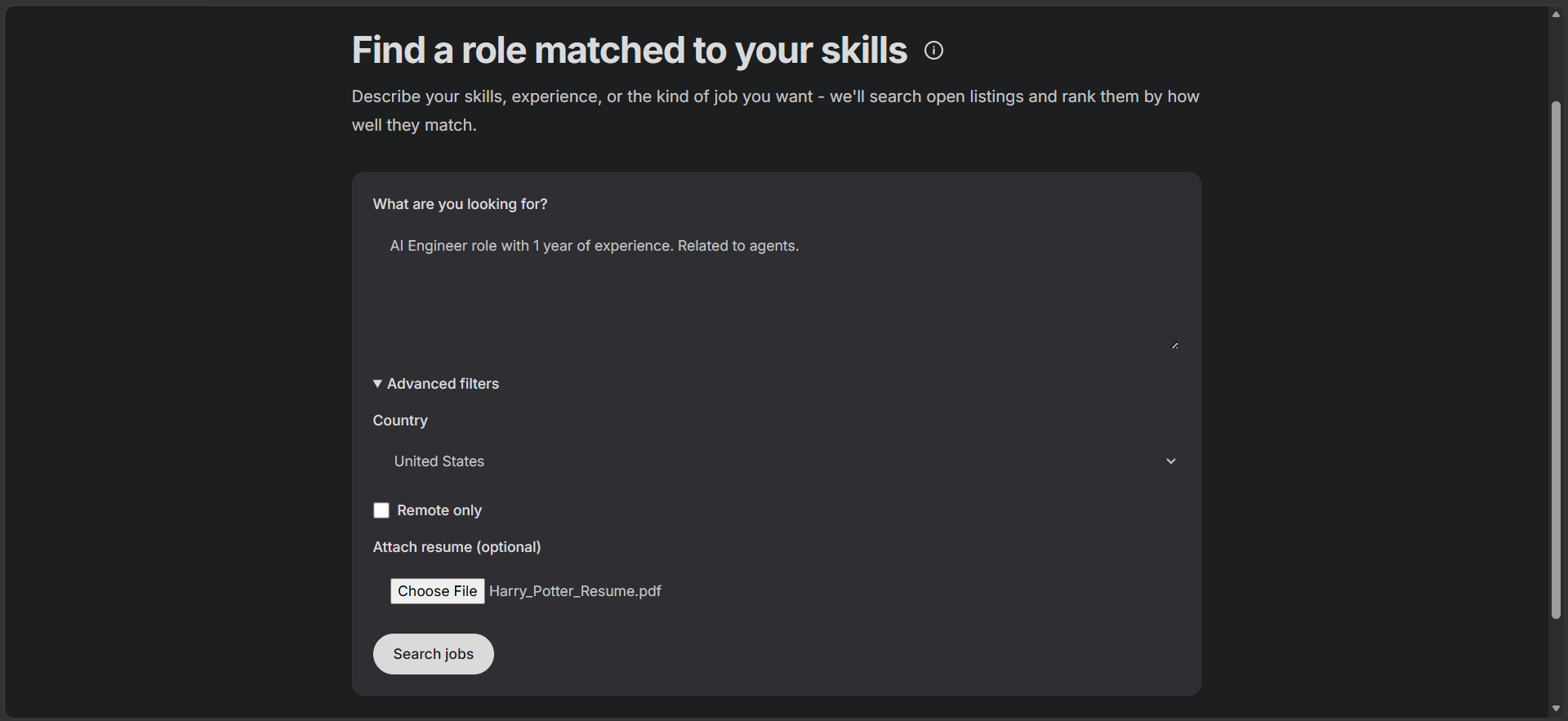
Below the search box, Advanced filters let you tighten things up:
- Country. Narrow to postings in one country. You can also just say it in the search box ("remote roles in Canada").
- Remote only. Show remote roles exclusively.
- Attach a resume (optional). Upload a PDF, DOCX, or TXT and Role Finder folds it into the match, so your actual background counts, not just what you typed into the box.
How the ranking works
When you hit search, Role Finder pulls every configured company's open roles at once, removes duplicates, applies your filters, and then ranks what is left. The ranking is layered: a fast pass narrows the field, a semantic pass orders it by meaning rather than word overlap, and a final language-model pass re-checks the top results page by page and drops anything that is a clear mismatch on closer reading.
Every filter fails open. If narrowing by experience or country would leave you with almost nothing, that step is skipped rather than handing you an empty page.
Your results
Results come back ranked from best match to least. Each card shows the title, the company and location, a snippet of the description, and which board it came from, with an Apply link straight to the original posting.
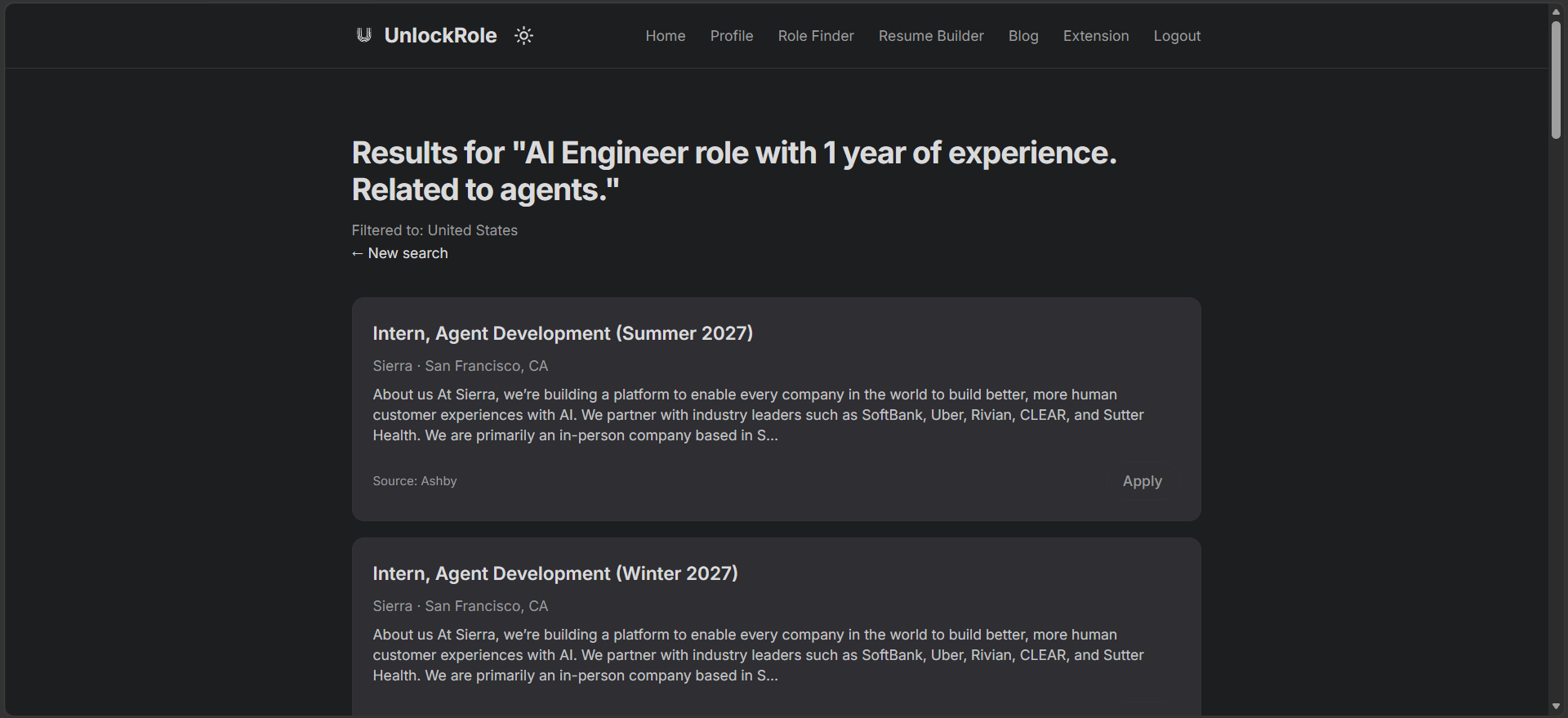
Click Apply and, if you have the UnlockRole extension installed, the application form fills itself in from your saved profile.
No account needed
Role Finder does not require a login. Open it, describe what you want, and search. Signing in with your UnlockRole account is the same login you use across the profile page, Resume Builder, and the extension, so everything stays connected, but it is not a gate on searching.
Try it
Open Role Finder and describe the role you want in a sentence or two. Add a country or your resume if you want a tighter match, and search.
