If you've applied to more than a handful of jobs, you know the pattern: the same twenty fields, in a slightly different order, on every posting. Name, email, phone, location, "are you authorized to work in the US?", "will you now or in the future require sponsorship?", upload your resume, and so on. None of it is hard. It's just slow, and it's the same every time.
The UnlockRole extension fixes that. Fill in your profile once on unlockrole.com, and the extension carries it into the application form for you.
What It Does
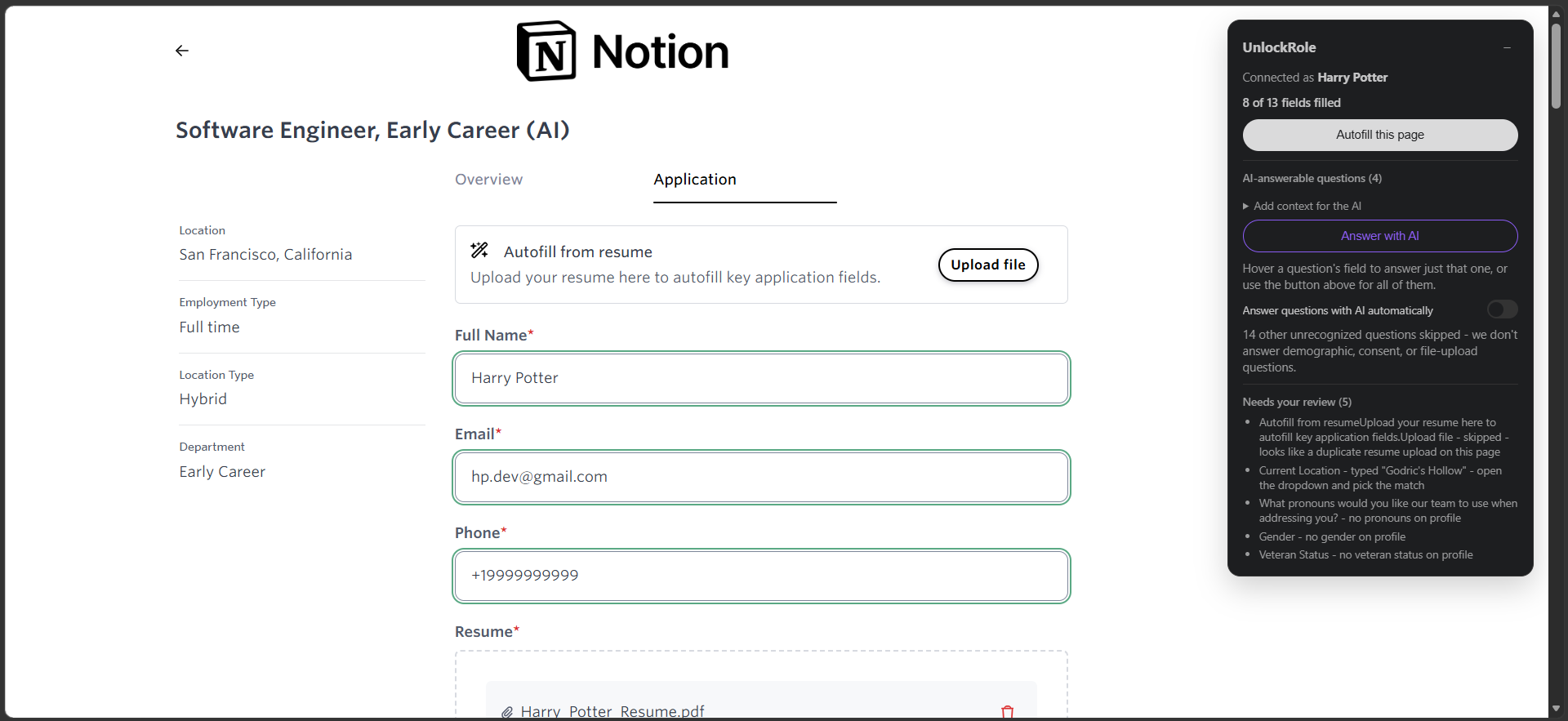
On a supported job posting, the extension adds a small panel to the page. When you open the application form, it detects the fields, matches them against your saved profile, and fills them in:
- Contact and basics - name, email, phone, location, links.
- The questions applications always ask - work authorization, sponsorship needs, notice period, remote preference.
- Your resume - the file you uploaded to your profile is attached to the form's upload field automatically.
- Voluntary self-identification - gender, race/ethnicity, veteran status, disability status, and pronouns, but only from the values you explicitly set on your own profile's "Voluntary self-identification" section. The extension never guesses these, and an AI never touches them.
- Work and education history - on forms that ask for it (like Workday's multi-step applications), current employer, title, school, and degree are filled from your profile.
Every field the extension fills is outlined so you can see exactly what it touched. When a field can't be answered from your profile, it's highlighted for quick manual review rather than left looking done but empty.
Where It Works
The extension activates automatically on job postings hosted by the major applicant tracking systems:
- Greenhouse, Lever, Ashby, Workable, Recruitee, Teamtailor
- Workday and Rippling
- micro1's job portal and Y Combinator's Work at a Startup
On any other site, you can still run it manually: open the extension's toolbar popup and click "Try UnlockRole on this page." It'll do its best to detect and fill the form, with a banner noting the site isn't officially supported yet.
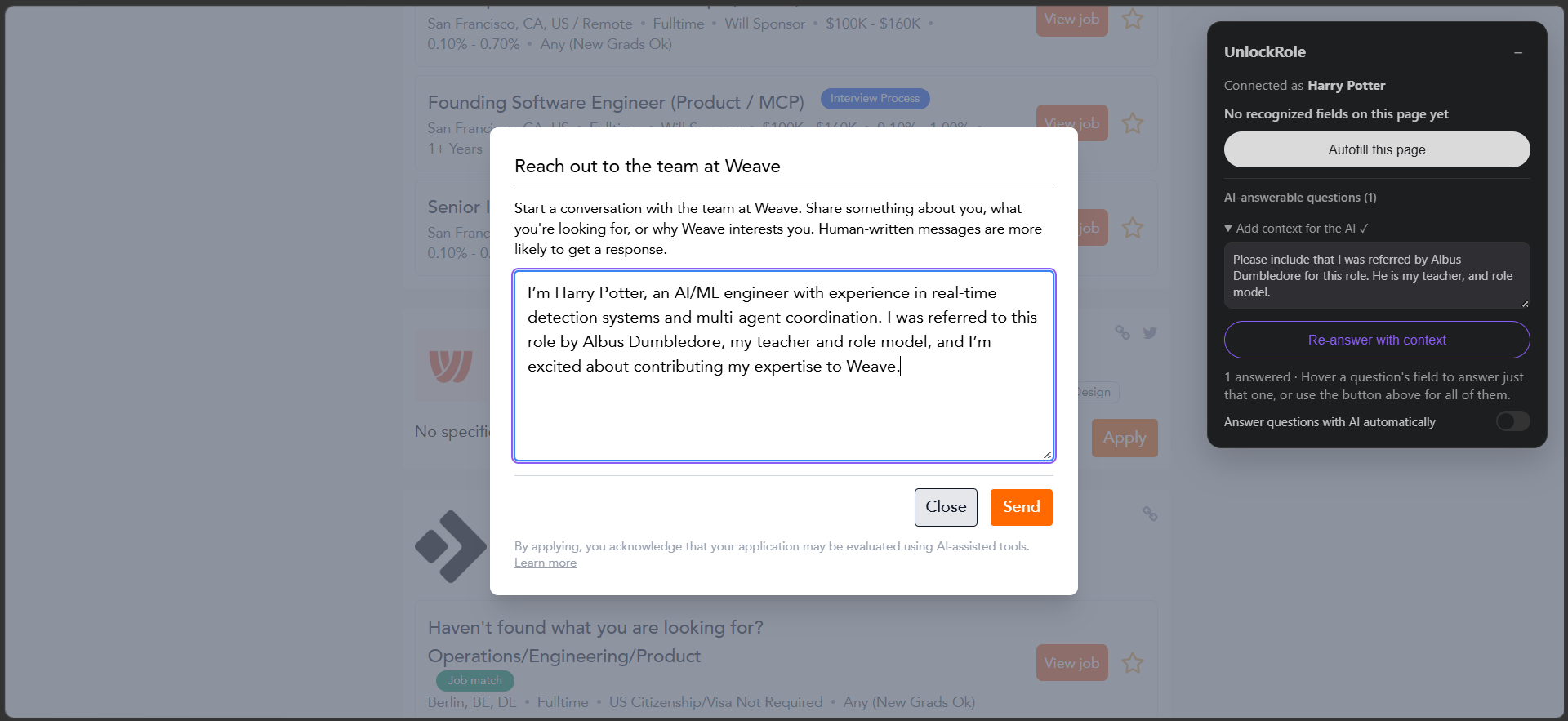
Application forms don't follow one template. Some are a tidy set of labelled inputs; others are a single free-text box, or a "reach out to the team" modal with nothing the extension can pattern-match. The panel adapts to whatever it finds on the page, tells you what it recognized, and, when there's an open-ended prompt, lets you add a line of context to steer the answer before it drafts one.
AI-Drafted Answers for Open-Ended Questions
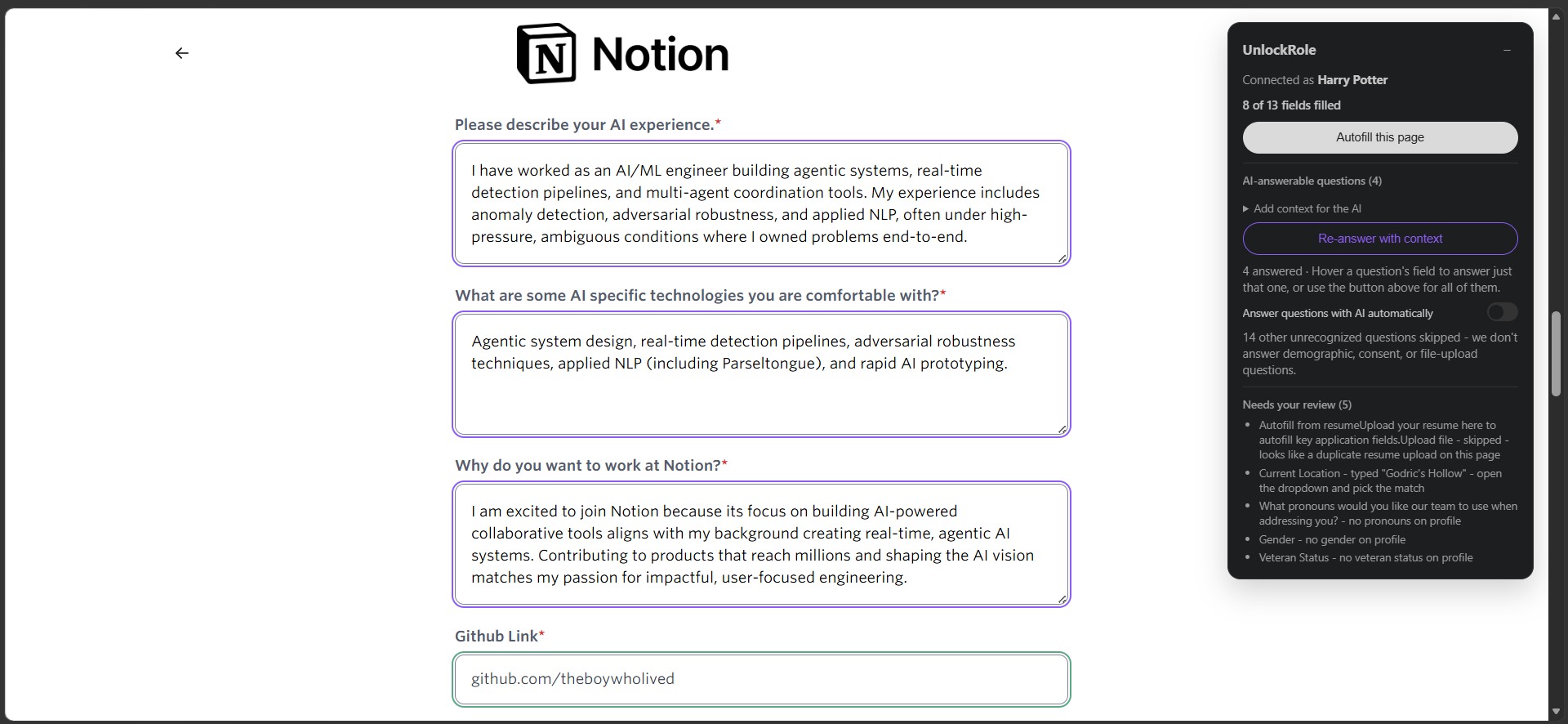
Some applications ask questions no profile field can answer: "Why do you want to work here?", "Tell us about a project you're proud of." For UnlockRole Premium members, the extension can draft answers to these, grounded in your resume, your profile, and the specific job posting you're looking at.
These answers are written into the form in a different color and flagged for you to review. They're a starting point to edit and make your own, not something to submit blind.
Your Data Stays Yours
The extension doesn't have its own database and doesn't store your information. It reads your profile from unlockrole.com using the session you're already logged in with, fills the form in your browser, and that's it. For the AI-answer feature, it sends the application's questions and the public job-posting text to UnlockRole's API to draft a response. It never sells or shares your data. See our privacy policy for the full picture.
It's an MVP - Tell Us What Breaks
This is a first release. It handles the common cases well, but application forms are endlessly varied, and some fields on some sites won't be filled perfectly yet. We're actively working on it, and the fastest way to help us improve it is to tell us what you hit: email unlockrole@gmail.com with the site, the role, and what went wrong.
Quick Start
- Build your profile on unlockrole.com and upload your resume.
- If you want AI-drafted answers, set your voluntary self-identification fields and consider UnlockRole Premium.
- Install the extension and sign in with the same account.
- Open a job posting on a supported site. The panel appears on the right.
- Start the application, let the extension fill what it can, review the highlighted fields, and submit.
One profile. Every application, done faster.
