Most resume tools make you choose. Either you get a rigid template that fights you on every edit, or you get a blank document and an hour of nudging margins. The UnlockRole Resume Builder is meant to sit in between: a structured form that produces a clean, typeset PDF, with an AI assistant that can do the first draft for you.
No account needed to try it
You can open the builder as a guest, fill in your resume, watch the preview update, and download the PDF without signing up. Logging in with Google adds the parts that need somewhere to save things: up to five stored resumes you can come back and edit, and a download of the raw LaTeX source.
A form on the left, a real preview on the right
The builder is a two-pane layout. On the left you fill in sections. On the right you see the actual PDF, re-rendered as you type, so there is no guessing about how a long bullet wraps or where a page breaks.
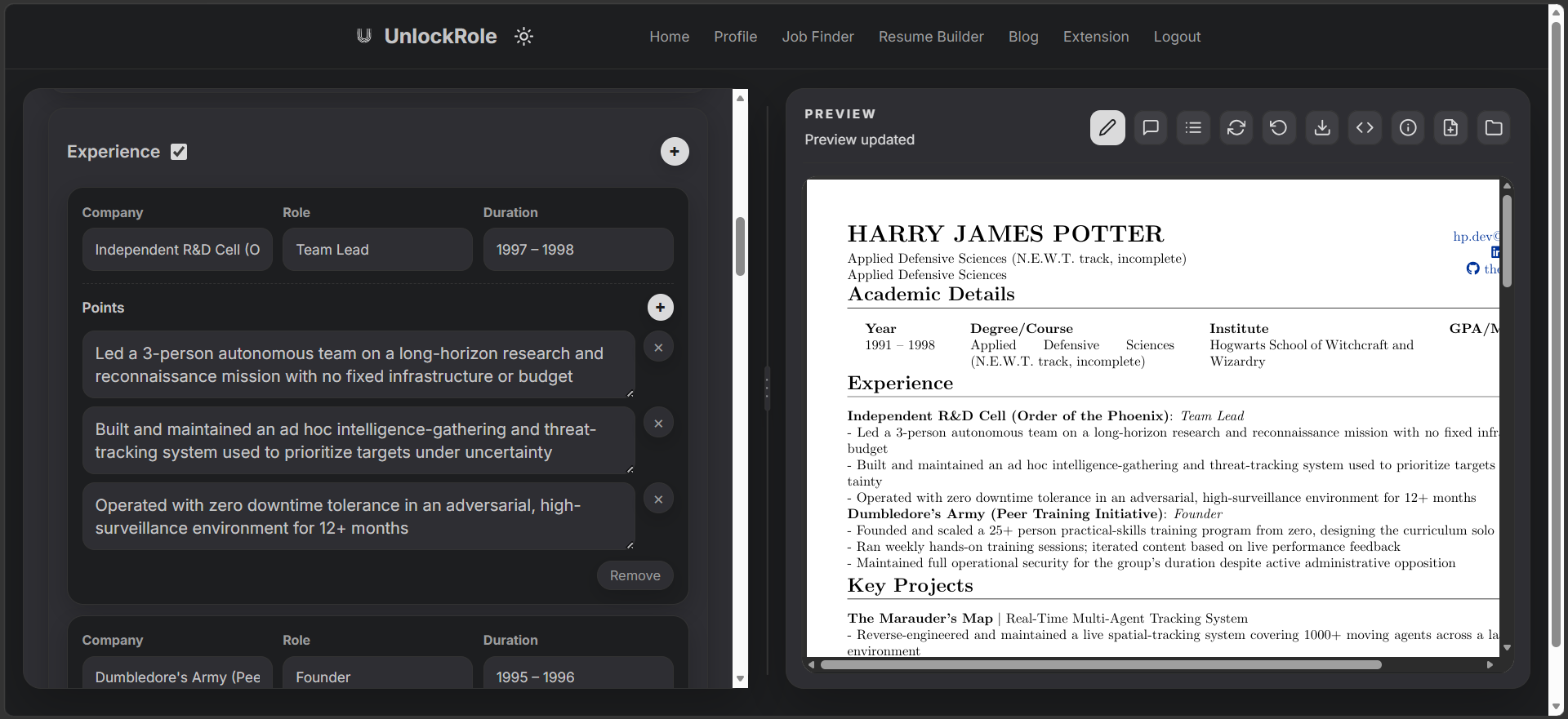
There are eight sections you can toggle on or off and reorder: academic details, experience, internships, projects, scholastic achievements, organizations, courses, and skills. If projects are your strongest case for a technical role, move them to the top. If a section does not apply to you, turn it off and it disappears from the PDF.
The output itself is built from a LaTeX template modeled on an academic-style CV, compiled with pdflatex. That is what gives it the consistent spacing and typography you would otherwise spend an hour fussing over in a word processor.
An AI assistant that drafts from what you already have
The right pane can switch from the preview to a Resume Assistant. Upload something you already own - an old resume, a LinkedIn export, or a page of notes about your experience (PDF, DOCX, TXT, or TEX) - and ask it to fill in the resume.
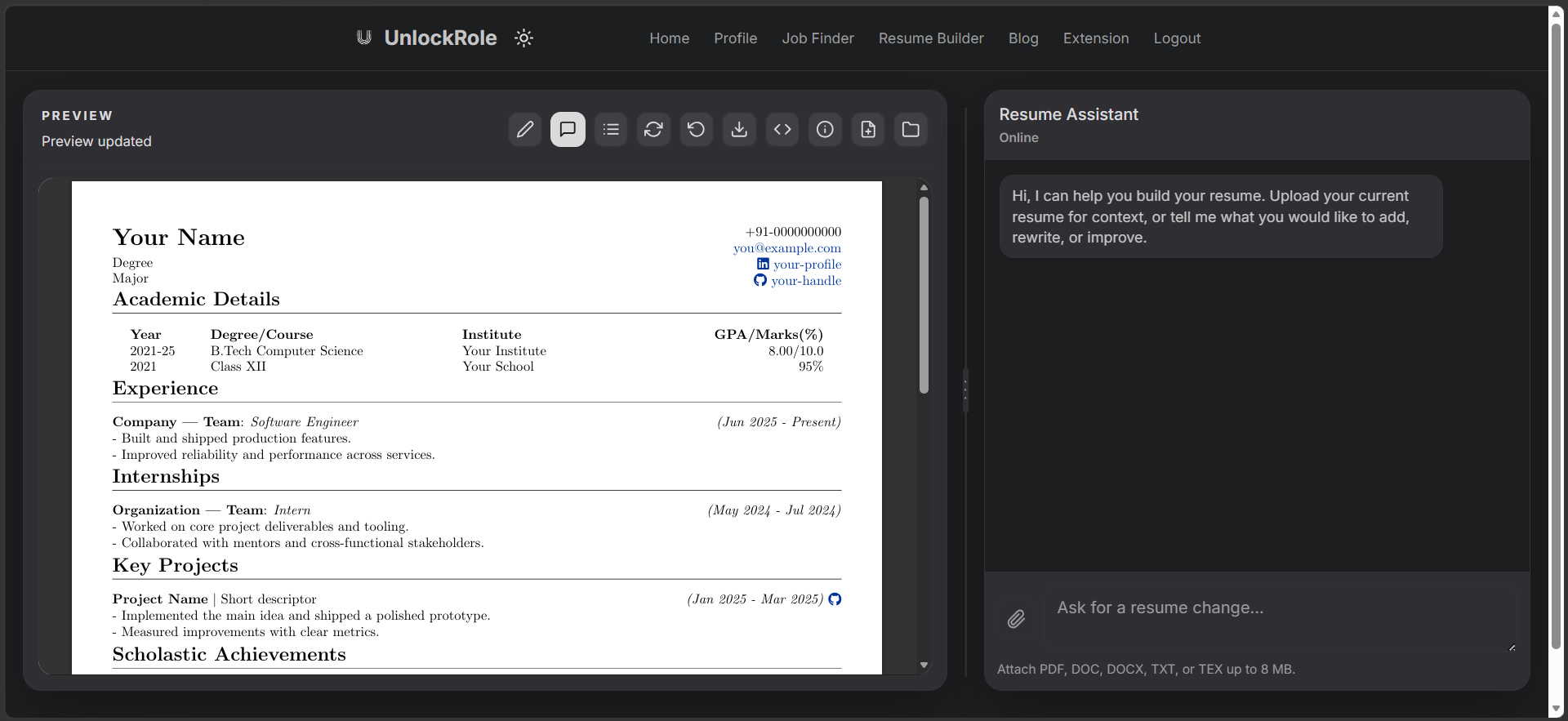
It reads the context and writes structured content straight into the form's sections, so the result is still a normal resume you can keep editing by hand, not a locked block of text. You can also ask it to rework a single section rather than the whole document.
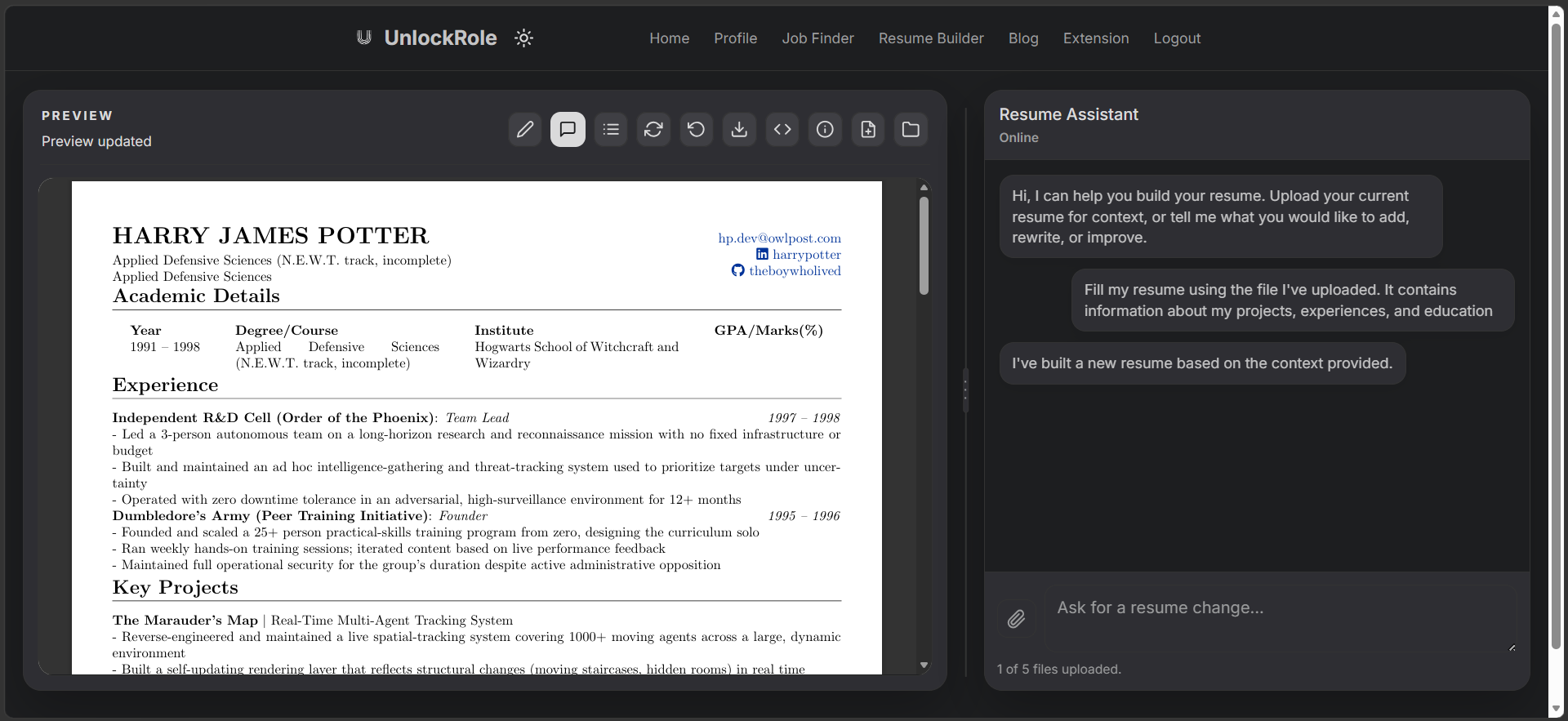
The assistant is best used for the first pass. It cannot invent the specific numbers, project names, and outcomes that make a resume land, so the workflow that works is: let it produce a solid draft, then go through and add the concrete detail yourself. Our guide on writing an impactful resume covers what that detail looks like.
Save, reuse, and tailor
If you are logged in, each resume is saved and editable from My Resumes. You get up to five slots, which is enough to keep a base resume plus a few variants pointed at different kinds of roles.
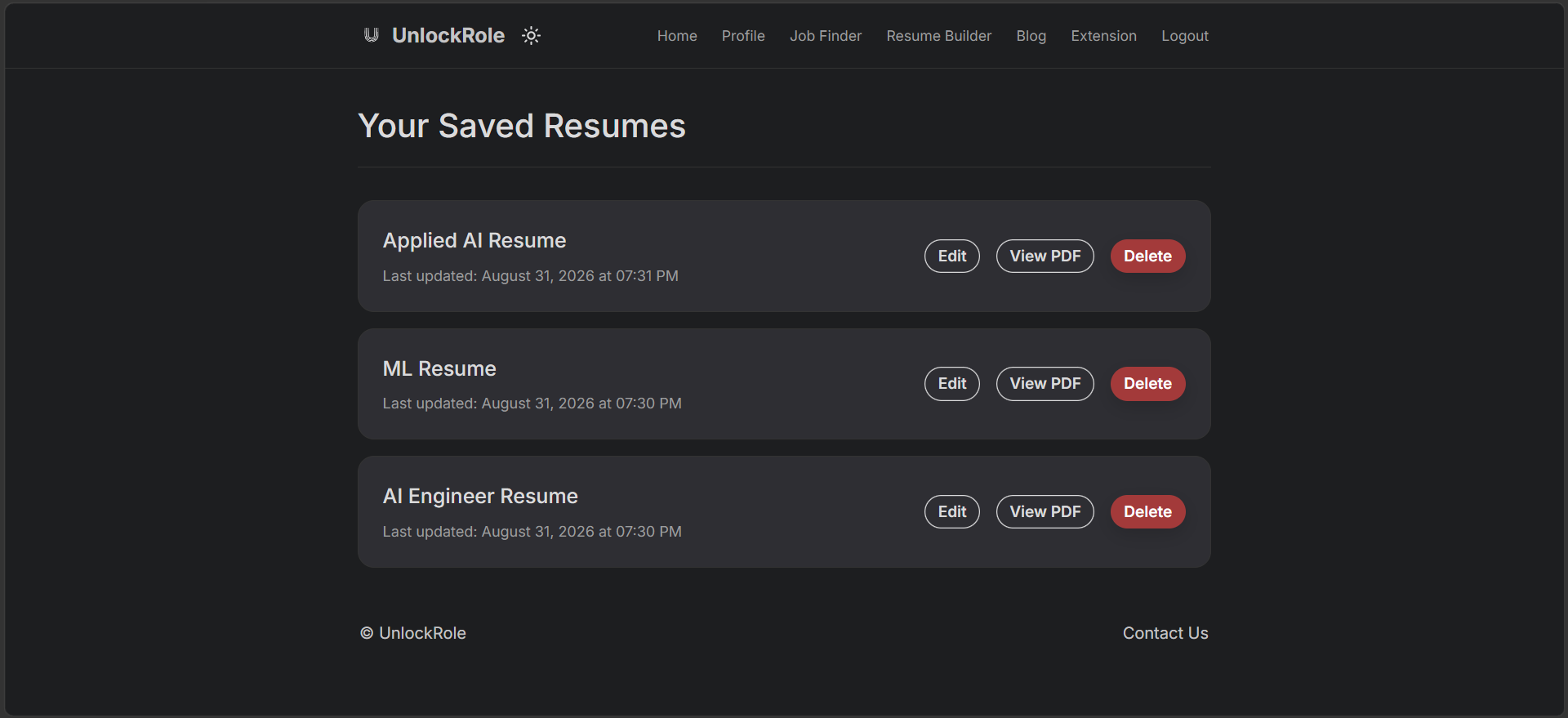
Tailoring for a specific job is much faster when you are not starting over. Open the closest saved version, adjust the wording and section order for the role, and download. Logged-in resumes recompile from your saved data on demand, so a PDF is always one click away even weeks later.
Downloads
Every resume downloads as a PDF. If you are logged in, you can also grab the raw .tex source and take it into your own LaTeX editor for finer control.
Quick start
- Open the builder as a guest for a quick one-off, or log in with Google to save and reuse.
- If you have an old resume or notes, upload them and let the assistant draft a first pass.
- Go section by section and add the real numbers and specifics the AI could not know.
- Toggle and reorder sections so the most relevant content leads.
- Check the live preview, download the PDF, and save a copy if you will tailor it again later.
Open the builder and start with a blank form or an uploaded document.
